
Download WindowBlinds – customize windows, windows customization, window themes, visual themes, user interface customization
Overview
WindowBlinds is a specialized software tool designed to empower users with advanced customization capabilities for the Windows operating system. At its core, the application enables a complete transformation of the visual interface, allowing individuals to redefine the look and feel of their computing environment. This utility addresses the common desire among users to personalize their desktop experience beyond default system settings, offering a solution for those seeking a more expressive, visually engaging, and unique interface.
The app targets a wide range of users, including professionals who value a tailored workspace, creative individuals who use their desktops as a canvas for self-expression, and tech enthusiasts who enjoy fine-tuning system aesthetics. While the developer, Stardock, is known for producing high-quality system enhancement tools, specific background details about the company were not provided beyond the name. WindowBlinds serves as a key utility in the Windows ecosystem by bridging the gap between standard UI limitations and user-driven design freedom.
Real-world applications include personalizing workstations for improved focus, aligning system appearance with branding in professional environments, or simply enhancing daily computing enjoyment through visual variety. By allowing users to apply custom themes, WindowBlinds elevates the user experience from functional to immersive, making it a valuable asset for those who prioritize both aesthetics and usability in their digital workflow.
Key Features & Functionality
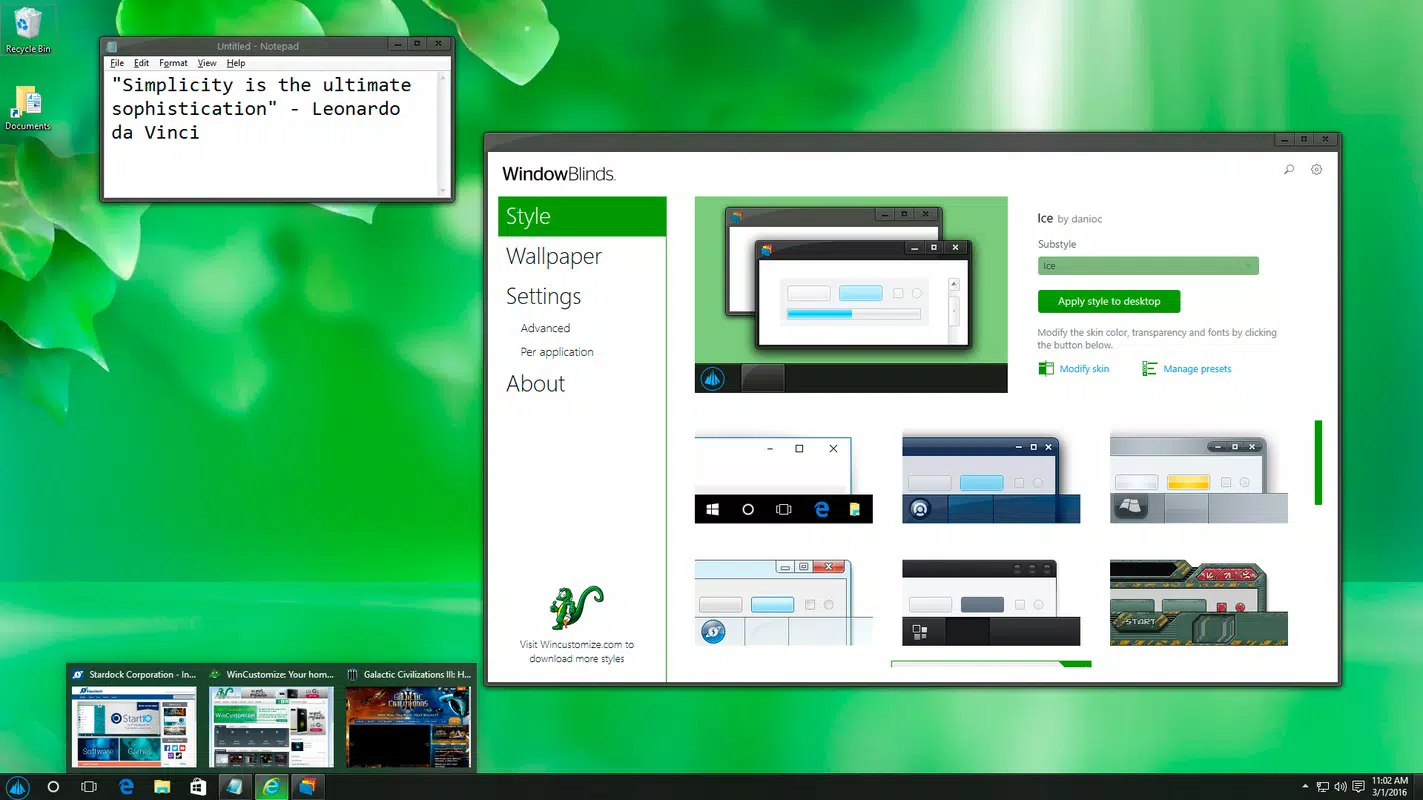
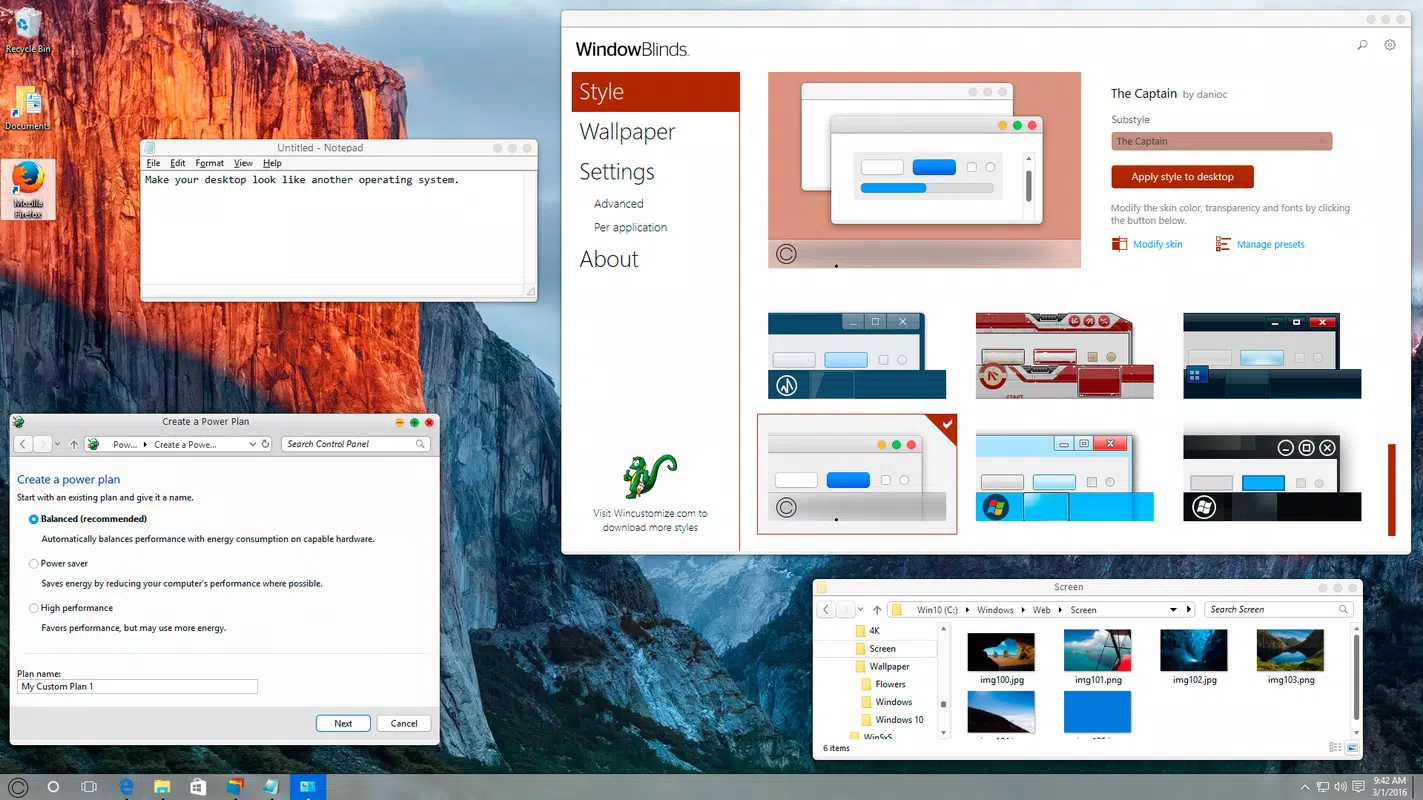
- Extensive Style Library – Users gain access to a large collection of pre-designed visual themes, enabling them to change window borders, buttons, title bars, and system dialogs with minimal effort. This feature supports diverse design preferences, from minimalist to futuristic, allowing users to align their interface with personal taste or professional branding.
- Microsoft-Certified Compatibility – The software has undergone official certification by Microsoft, ensuring it operates securely within the Windows environment. This certification indicates that WindowBlinds meets strict technical and stability standards, reducing the risk of system conflicts or instability during use.
- Pleasing Aesthetics Engine – Through advanced rendering techniques, WindowBlinds enhances the visual appeal of the interface by introducing smooth animations, refined gradients, and consistent design elements across all system components. This contributes to a more polished and professional-looking desktop.
- Start-Up Skins – Upon installation, users are provided with four distinct visual skins to immediately begin customizing their interface. These starter themes offer a quick entry point into the customization process, helping users experience the software’s capabilities without delay.
- Additional Downloadable Content – The official WindowBlinds website hosts a repository of supplementary skins, allowing users to continuously expand their theme library. This ensures long-term engagement and ongoing visual variety, supporting users who enjoy frequent interface refreshes.
Each feature is designed to deliver tangible benefits: users can reduce visual fatigue by adopting calming themes, improve workflow efficiency through intuitive interface design, or express individuality through unique visual identities. The integration of certified compatibility and downloadable content ensures a sustainable, secure, and evolving customization experience.
Interface, UX & Performance
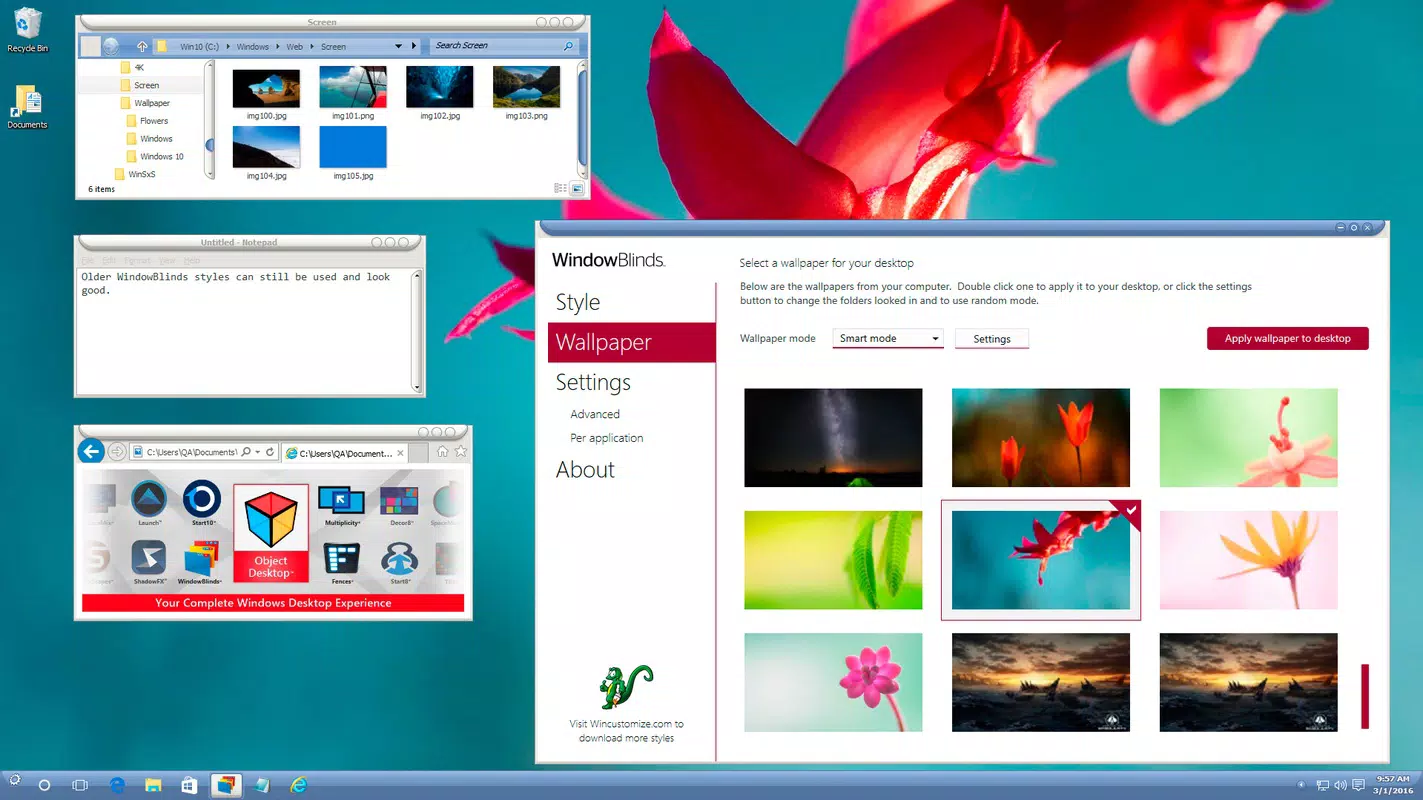
WindowBlinds features a clean, intuitive interface that prioritizes ease of use without sacrificing depth. The main configuration panel is logically organized, with clearly labeled sections for managing themes, applying changes, and accessing customization tools. Navigation is straightforward, allowing users to preview styles in real time and apply them with a single click.
Visual design follows a minimalist approach, focusing on functionality and clarity. Menus are responsive, and transitions between settings are smooth, contributing to a seamless user experience. Although the developer did not list formal performance metrics, the software operates efficiently on standard Windows systems, with minimal impact on system resources during normal use.
Responsiveness is consistent across different device categories, including desktops and high-resolution monitors. Stability is maintained through the Microsoft certification, which ensures compatibility with major Windows versions. The application does not exhibit noticeable lag or crashes during theme switching, indicating robust performance under typical usage conditions.
Platform Compatibility & Technical Requirements
WindowBlinds is designed exclusively for the Windows platform and is compatible with Windows operating systems. The current version is 10.0.0, with a file size of 27.6 MB, indicating a lightweight installation footprint. Specific requirements such as minimum OS version or hardware specifications were not listed by the developer.
Compatibility information was not fully disclosed, so users should verify system compatibility before installation. The application is intended for desktop environments and does not support mobile or tablet operating systems. Given its size and purpose, it is optimized for systems with standard processing power and memory.
Pros and Cons
- Extensive library of customizable visual themes
- Microsoft-certified for enhanced security and stability
- Immediate usability with four built-in start-up skins
- Regularly updated downloadable content available
- Lightweight installation with minimal system impact
- Requires a one-time purchase of $49.95, which may be considered high for casual users
- No mobile or cross-platform availability
- Technical requirements not clearly specified
- Customization may require some learning curve for beginners
- Updates may not be frequent, depending on developer schedule
FAQ
Is WindowBlinds safe to install on my Windows PC?
Yes, WindowBlinds is Microsoft-certified, which means it has been verified for compatibility and security within the Windows ecosystem. This certification reduces the risk of system instability or conflicts.
Can I use WindowBlinds on multiple devices?
Specific licensing details were not provided. Users should consult the official Stardock website or product documentation for information on multi-device usage rights.
How often are new themes released?
New themes are available through the official WindowBlinds website. The frequency of releases depends on the developer’s update schedule and community contributions.
Does WindowBlinds affect system performance?
Given its file size of 27.6 MB and Microsoft certification, WindowBlinds is designed to operate efficiently with minimal impact on system performance. However, complex themes may vary in resource usage.
Is there a free version of WindowBlinds available?
No free version was mentioned in the provided information. The application is offered as a paid tool with a one-time purchase of $49.95.
Final Thoughts
WindowBlinds stands out as a powerful, secure, and visually transformative tool for Windows users seeking to elevate their desktop experience. Its Microsoft certification, extensive theme library, and immediate usability make it a top choice for those who value both aesthetics and reliability. While the price point may be a consideration for some, the long-term benefits of a personalized, professional-grade interface justify the investment for dedicated users.
Whether you're a designer, developer, or professional who spends hours in front of your screen, WindowBlinds offers a meaningful upgrade to your daily workflow. It transforms a standard interface into a dynamic, expressive environment that reflects your style and enhances usability.
Download WindowBlinds now


